
The quiet operating system for your LinkedIn.
Write, schedule, measure and follow up from one desktop app. Everything stays on your machine.
Write
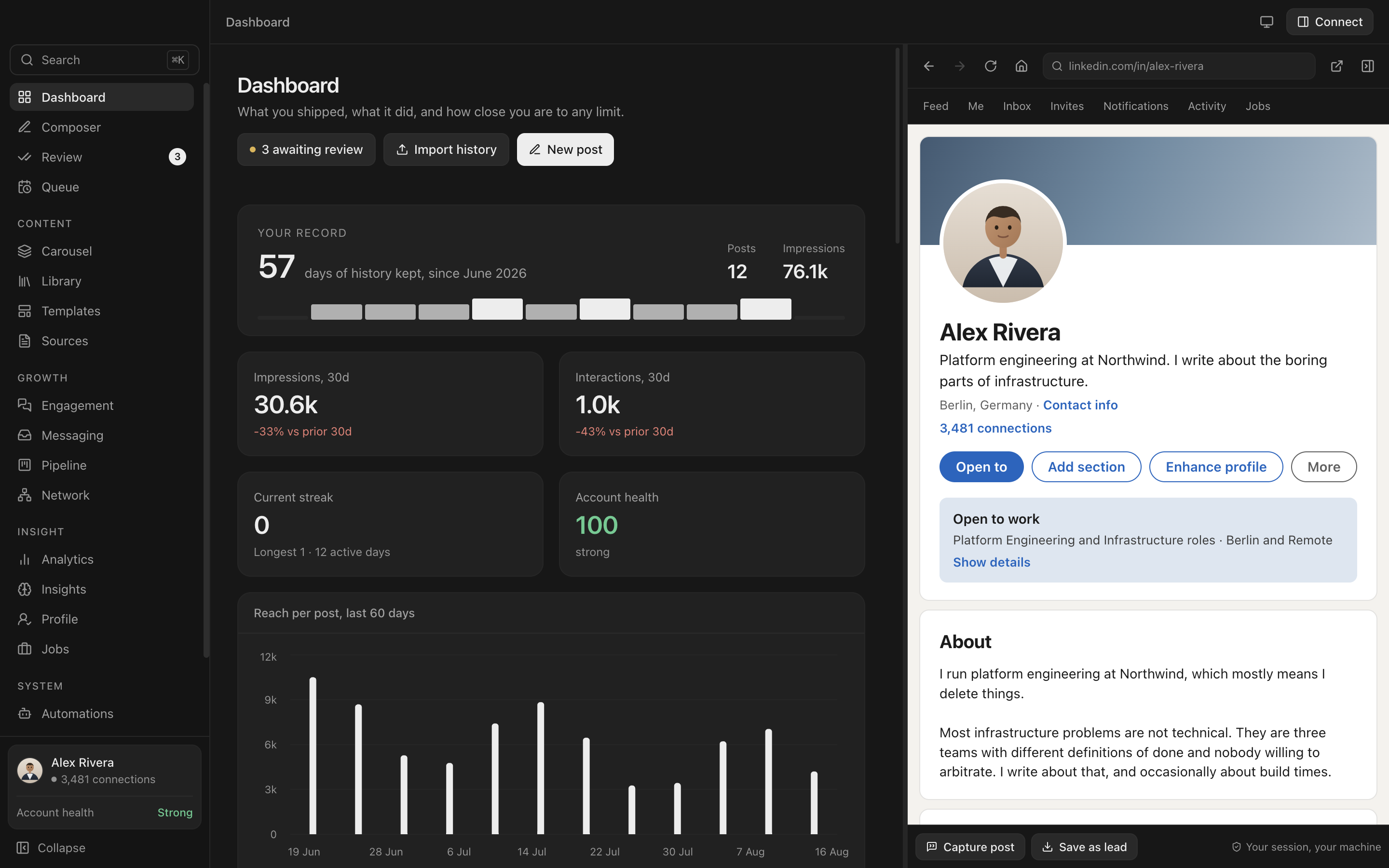
A preview that tells the truth.
Most tools show you a text box. Everpost shows you the post exactly as the feed will render it, including where the "see more" cut lands.
- Hook checker. The first two lines get cut around 210 characters. You see it happen.
- Duplicate detection. The same text cannot go out twice inside your chosen window.
- Spam patterns. Warns on the phrasing that gets posts throttled.
- Written in your voice. The model reads your published posts first.
Measure
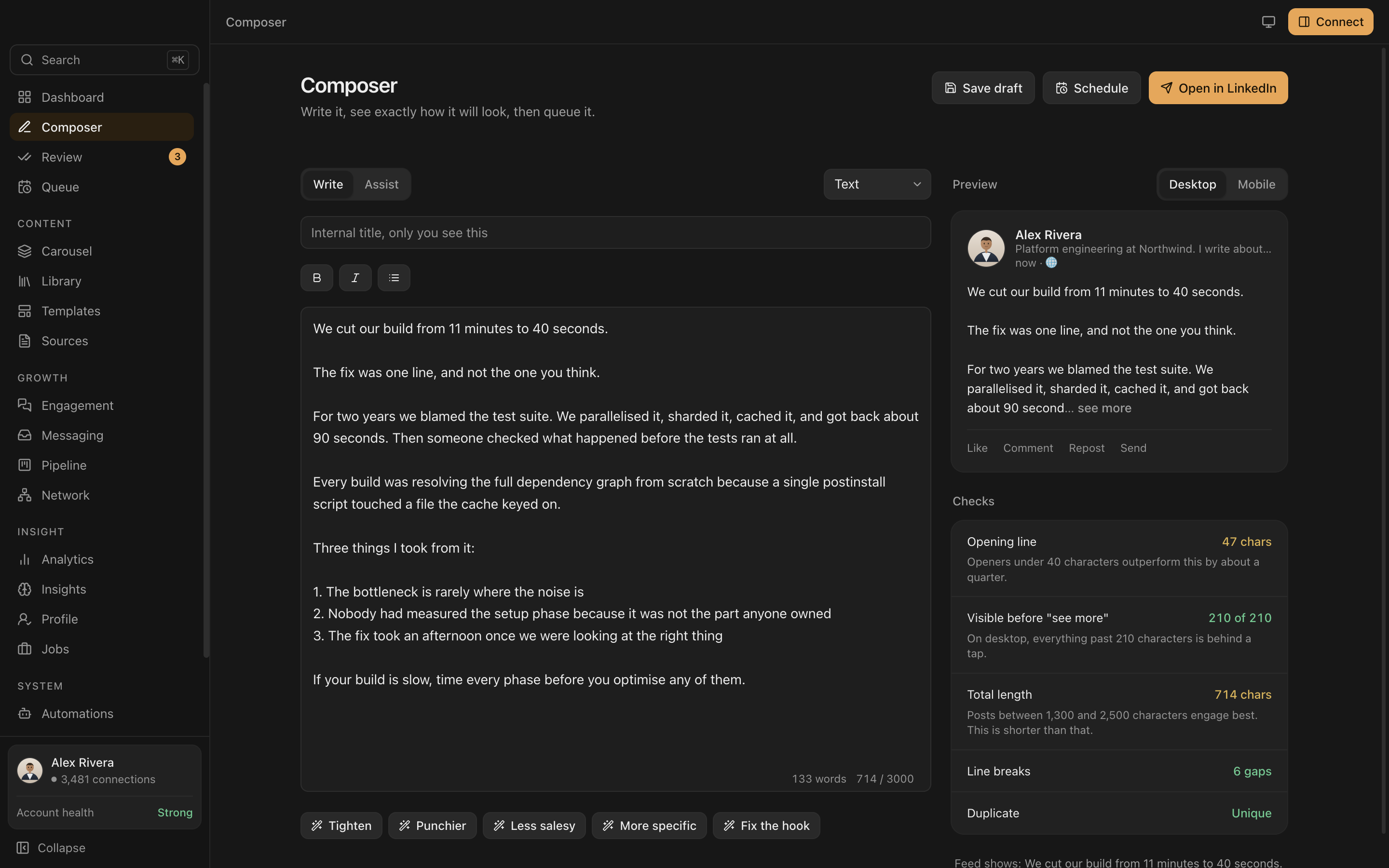
The history LinkedIn throws away.
LinkedIn shows you a rolling window and deletes the rest. Everpost records a snapshot every time, so you keep the whole curve rather than one final number.
- Profile views and search appearances tracked over months, not seven days.
- A 7 by 24 grid of when your audience actually engages, from your posts, not generic advice.
- Format and length correlation measured against your own account.
- Append-only. Numbers are never overwritten, so you can see how a post accumulated.
Approve
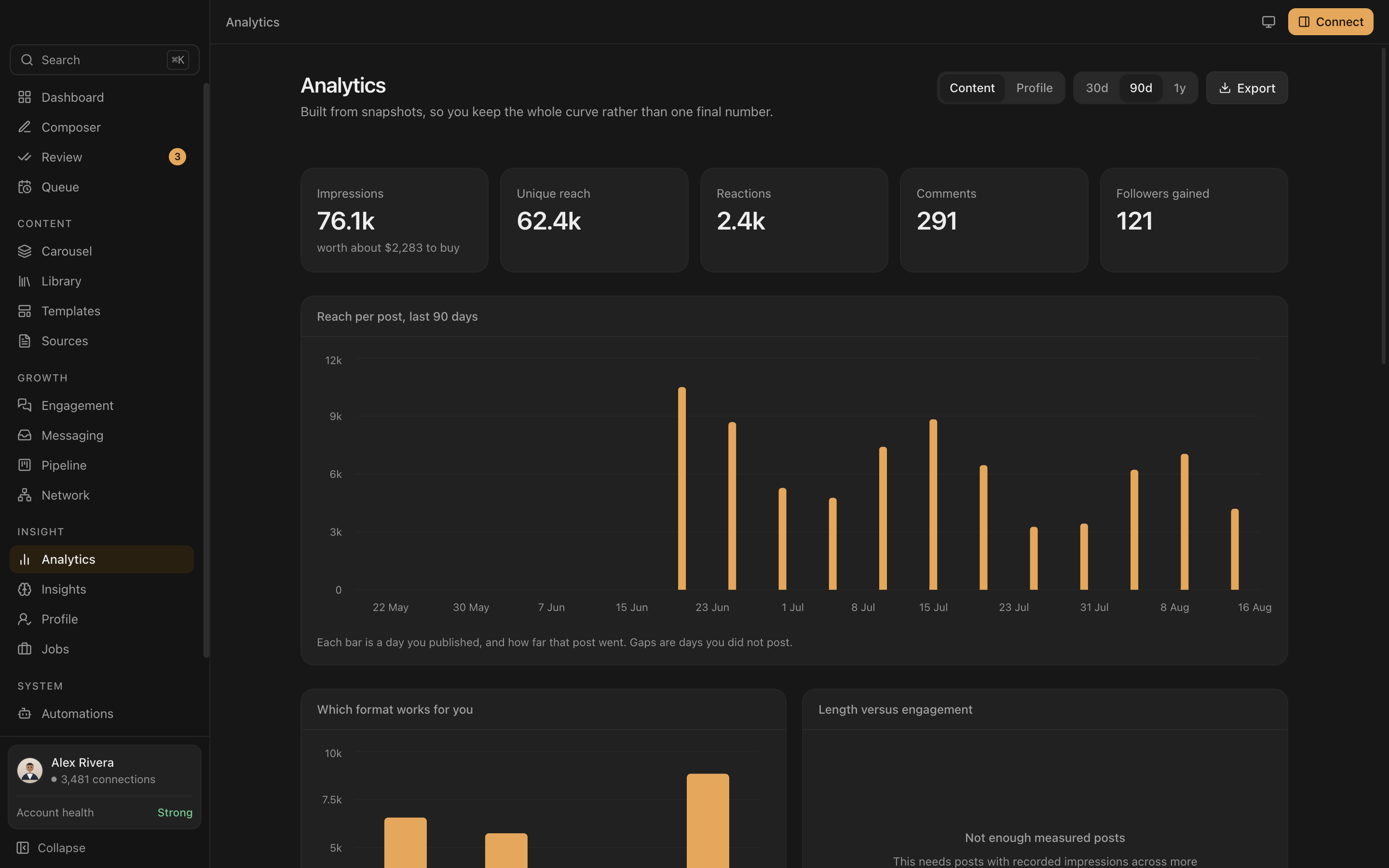
Nothing changes without you.
Every AI suggestion lands in a review queue with a word-level diff. Approve it, edit it first, or throw it out. Your profile is never quietly rewritten.
- Word-level diffs so you see exactly what moved.
- Keyboard driven. A to approve, R to reject, J and K to move.
- Every applied change is versioned with a date, so you can line edits up against profile views.
Grow
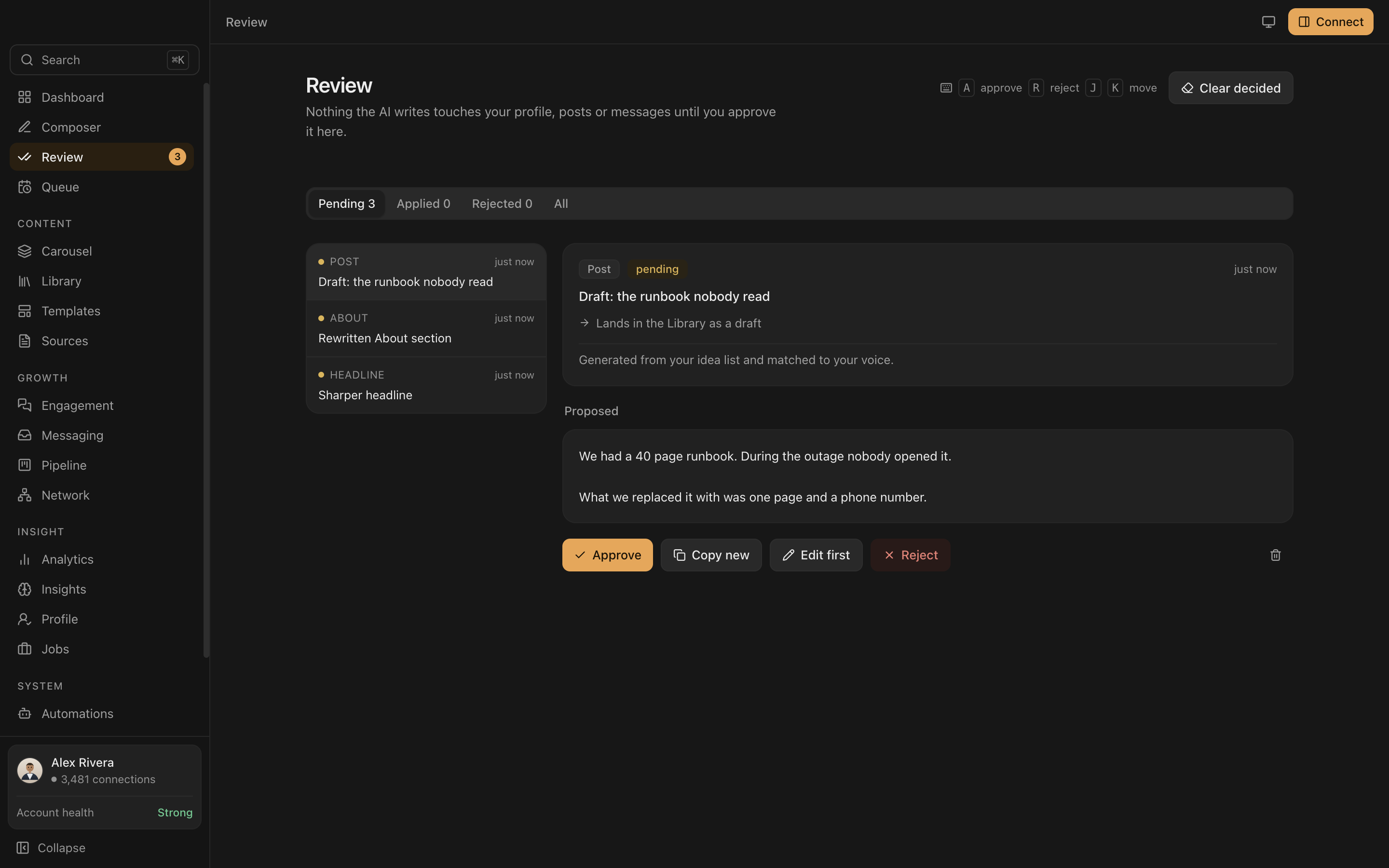
A CRM that came with your network.
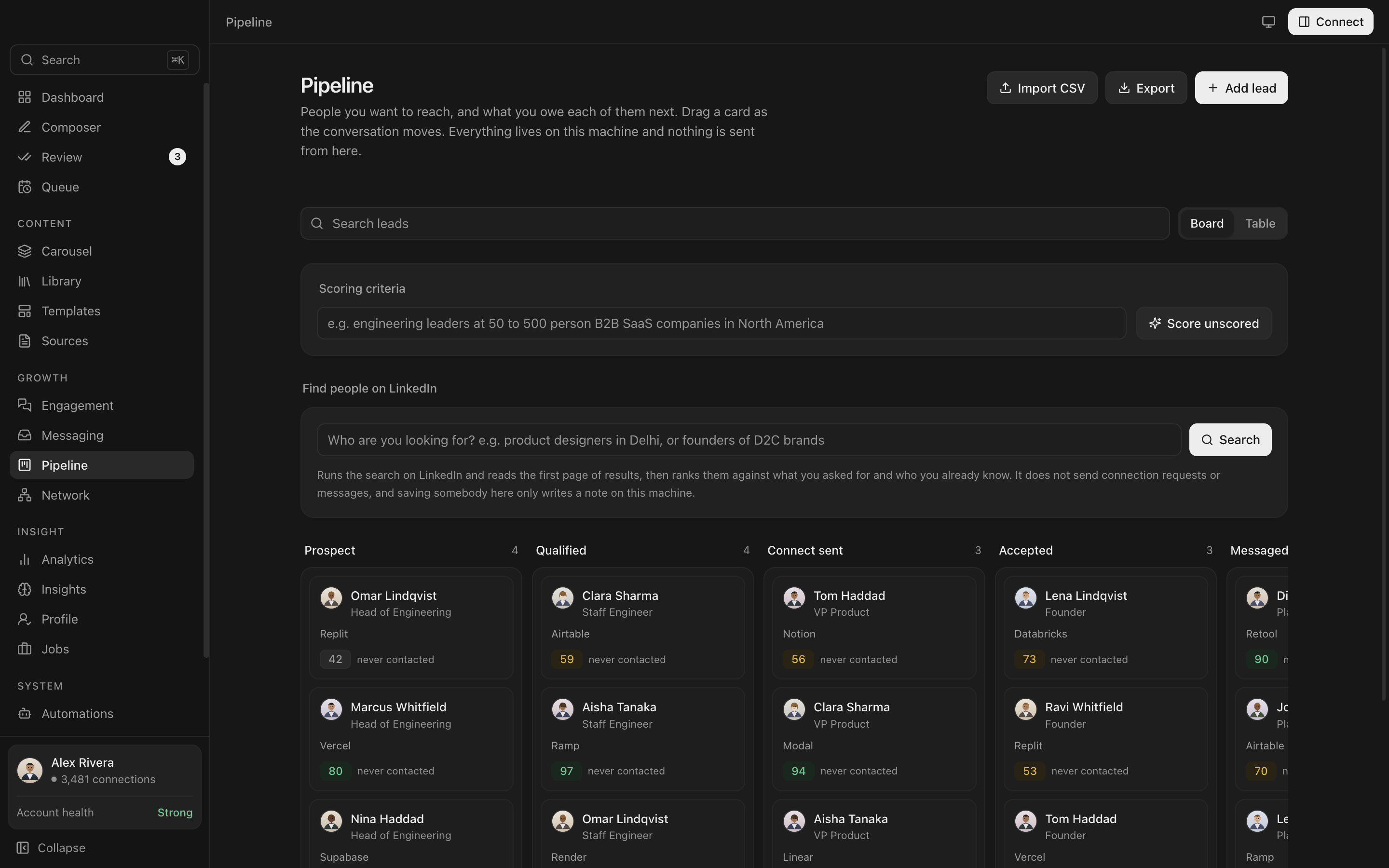
Import the connection list LinkedIn already gives you, then work it like a pipeline. Drag through stages, score with AI, export whenever you want.
- Network graph of everyone you know, clustered by company.
- Messaging threads with full history, follow-up reminders and generated sequences.
- Save anyone as a lead straight from the LinkedIn panel inside the app.
Side by side
LinkedIn, inside the app.
Read someone's profile on the right and write to that person on the left. It is a real signed-in session, not a scrape and not a preview.
- One window. No alt-tab between a tool and the site it is about.
- Your session. You sign in yourself, in a normal browser view, on your own connection.
- Read a post, draft the comment. The text you are replying to stays on screen while you write.
- Resizable. Drag the divider, or close the panel and get the full width back.
Start faster
Give it your CV, not an evening.
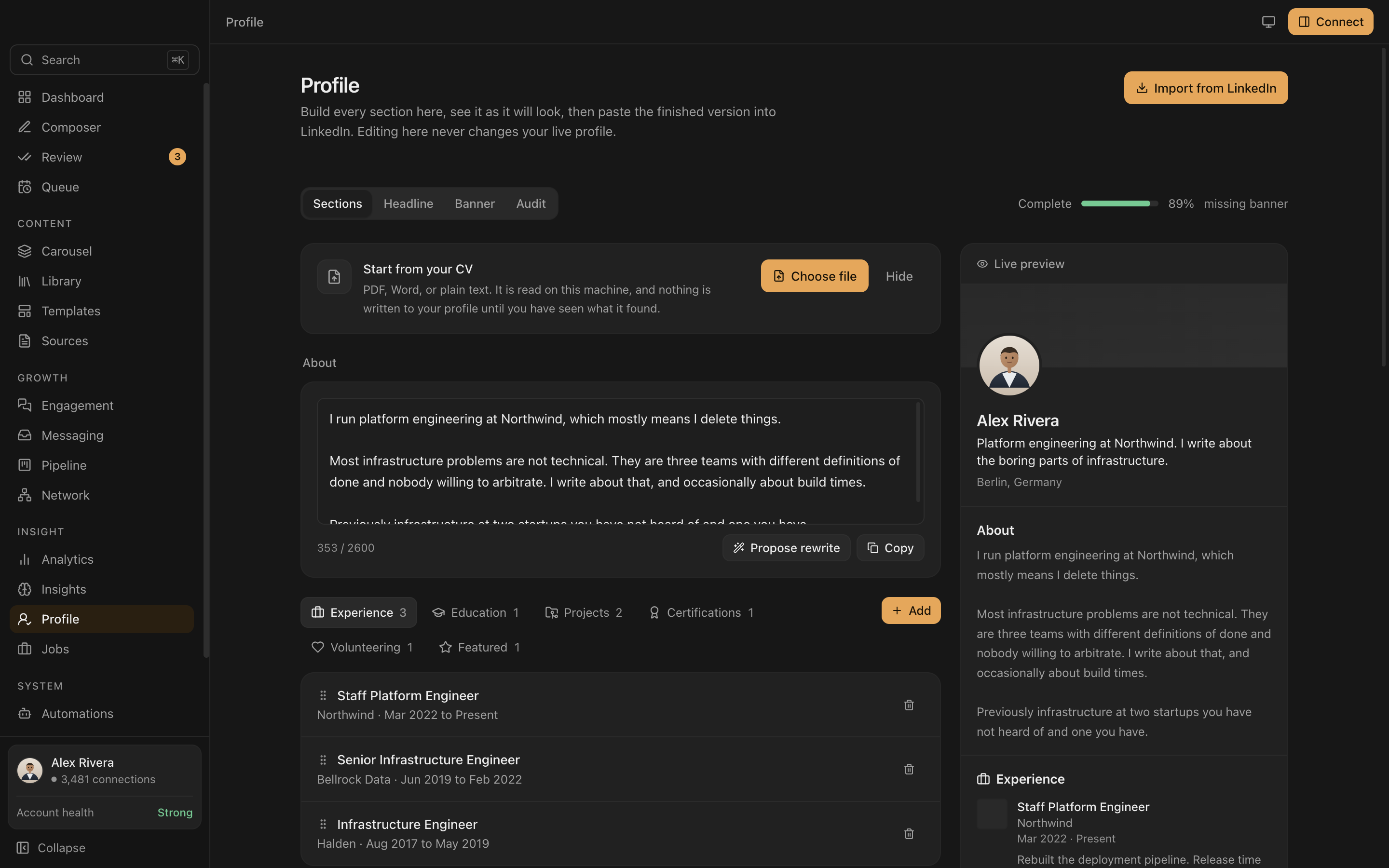
Upload a PDF or a Word file. The roles, dates, projects and certifications come out structured, ready to edit.
- Read on your machine. The file is parsed locally. Nothing is uploaded anywhere to open it.
- You see the text first. The extraction is shown before a single word is sent to any model.
- Nothing is overwritten. Headline, About and skills are separate opt-ins, and sections are added alongside what you already wrote.
- Scans are caught. A picture-only PDF says so, instead of silently importing nothing.
Everything else
Sixteen screens, one app.
No tab sprawl, no second subscription, no browser extension asking for permissions.
Profile builder, live preview Network graph by company
 Threads and sequences
 Queue and scheduling
 Job match and cover letters
 Searchable post library
 Indigo, on the dashboard
 Jade, on analytics
 Amber, on the pipeline
 Rose, on the network
Four accents, light and dark, remembered between sessions. Monochrome is the default.
Privacy
Your data never leaves your machine.
One SQLite file on your own disk. The only network calls Everpost makes are the AI requests you trigger.
Your session, your IP
LinkedIn runs in a real browser window on your machine. You sign in yourself. The app never copies, stores or transmits your cookies.
Keys in the keychain
API keys are encrypted by the operating system and only ever decrypted in the background process. The interface can ask whether a key exists, never what it is.
You press post
Publishing opens LinkedIn's own composer with your text loaded. Nothing is sent on your behalf without you.
AI, optional
Works fine with no AI at all.
Writing, scheduling, analytics, the CRM and the graph never touch a model. The AI features are additive, and you choose who runs them.
Free and local
Point Everpost at Ollama and everything runs on your own machine. No key, no account, no per-token cost.
Your own key
Claude or OpenAI, whichever you already pay for. Everpost finds a key already on your machine and offers to adopt it.
Or none
Every AI button is clearly marked. Skip them and the rest of the app is unchanged.
Pricing
Five days free. Then twelve dollars.
No card to start. When a trial or licence ends you keep every post, lead and snapshot, still readable and still exportable. Only the publishing and the AI pause.
Everything, billed month to month. Cancel whenever.
- Composer with the real feed preview
- Scheduling, queue and publishing
- Unlimited analytics history
- AI with your own key, or free with Ollama
- Pipeline, network graph, messaging
Three months free, and eleven fewer chances for a card to fail.
- Everything in Monthly
- Three months free
- One payment a year
Pays for the build. Closes at 100 and never reopens.
- Everything, forever
- Every future desktop update
- Three device activations
- Covers the desktop app, not a future hosted service
Access
Private beta.
Builds go out in small batches so problems get found before they scale. Leave an email and you will get one.